Android Auto on your Tesla.
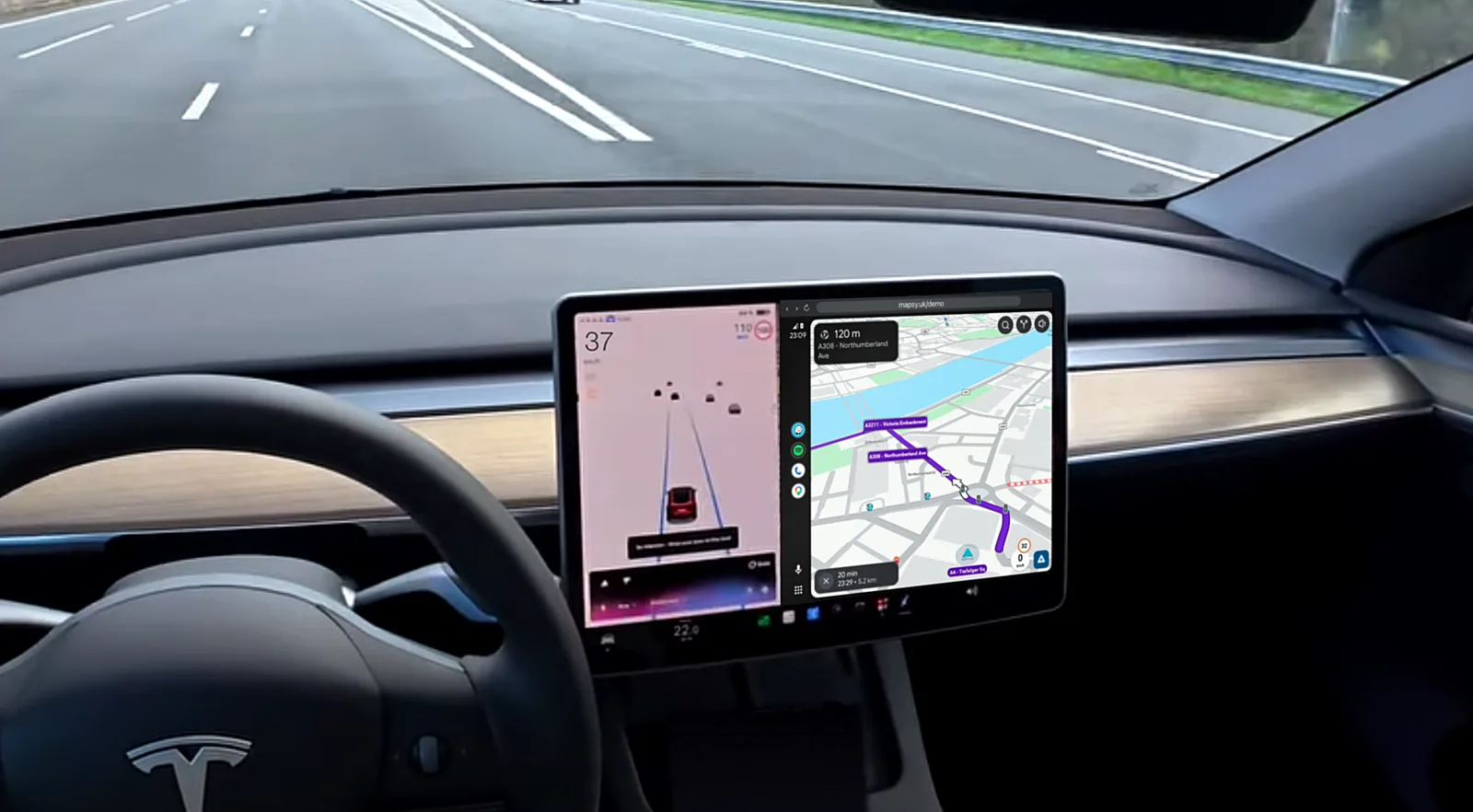
Waze, Google Maps, Spotify and calls on the big screen, through the Tesla's own browser. No dongle.
Get it onGoogle PlayTry it free for 10 minutes, no card needed. Then a 3-day trial and from $2.08 a month.
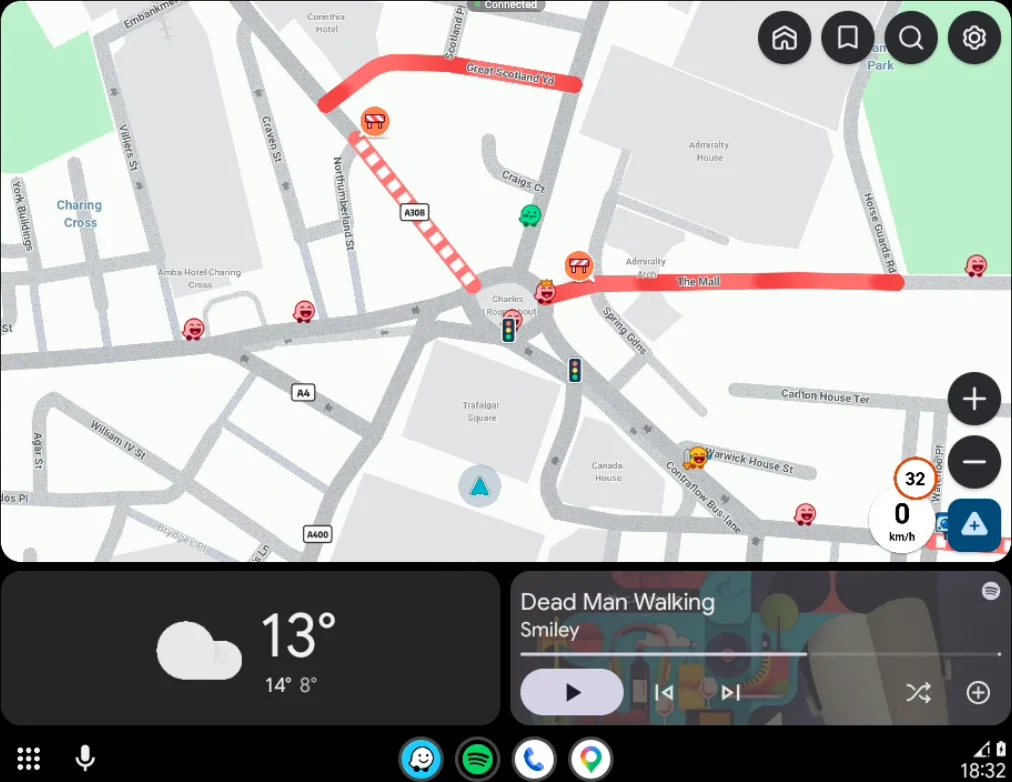
The Android Auto dashboard: Waze, the weather and your music.
Enter your code
It's the end of your link in the Mapsy app, like mapsy.uk/abc123
What is this?Your apps, on the big screen.
Live traffic, hazards and police alerts at a size you can glance at. Drag the map with your finger.
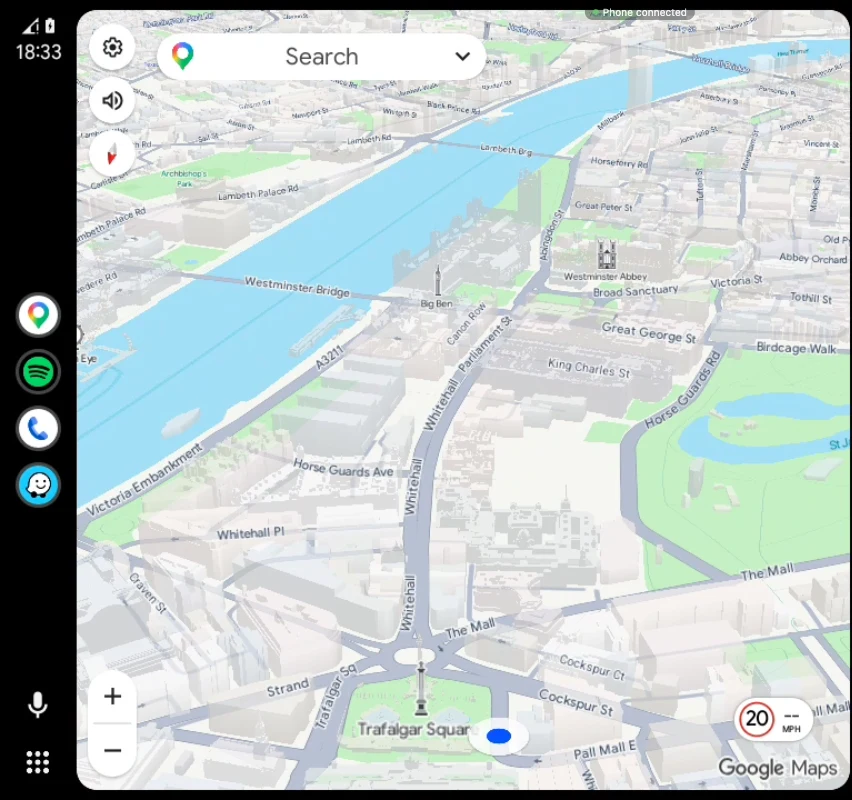
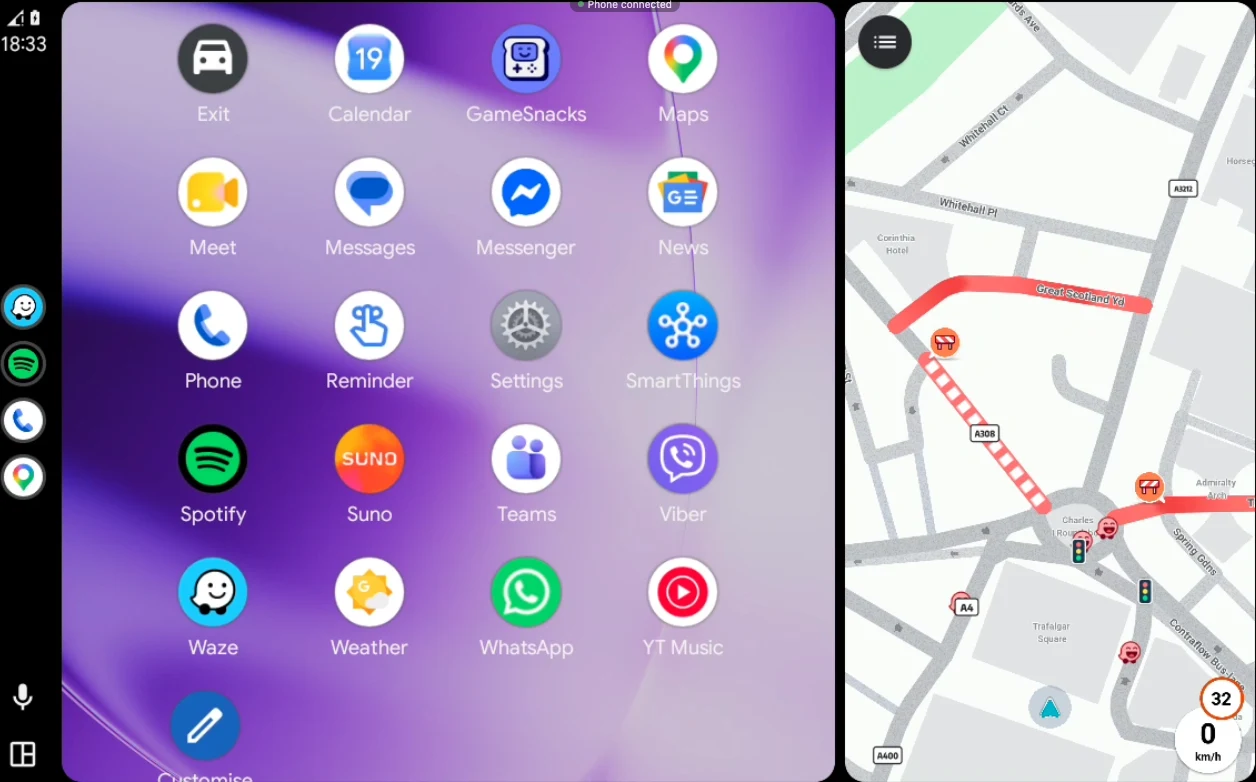
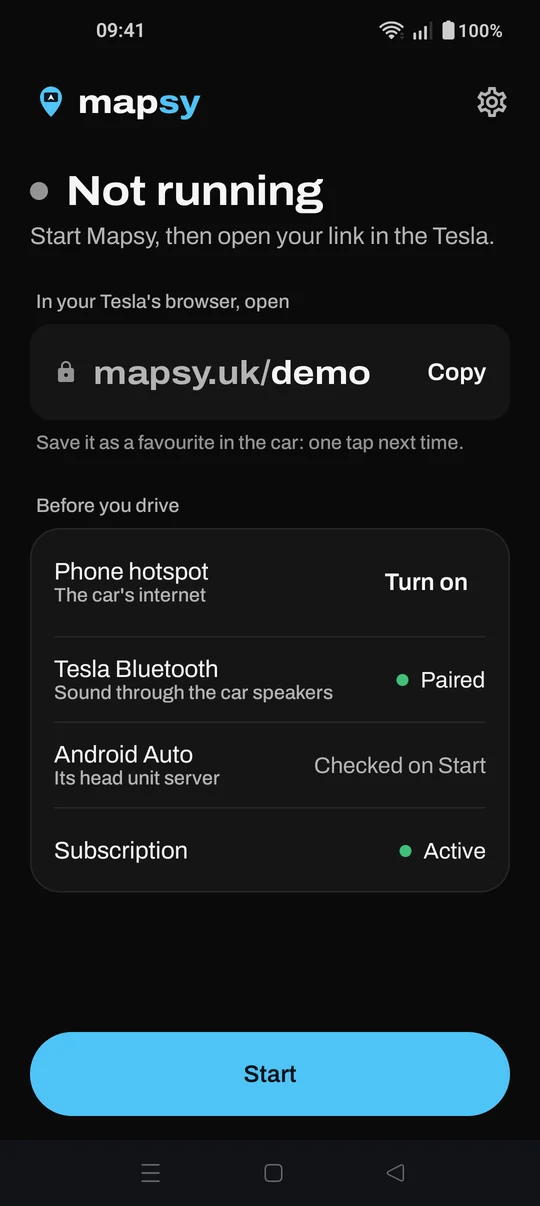
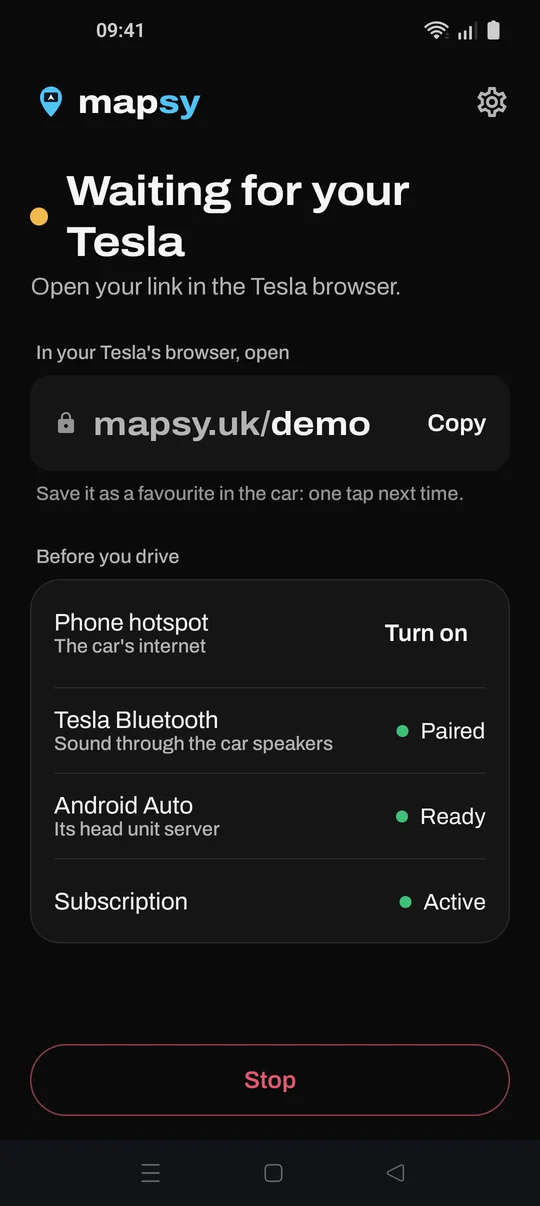
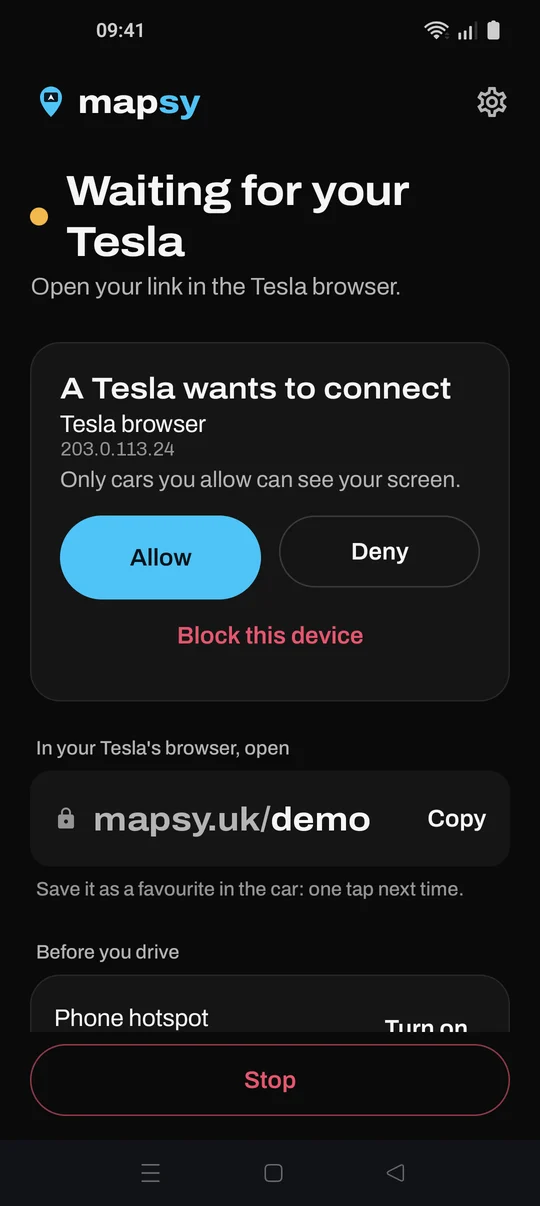
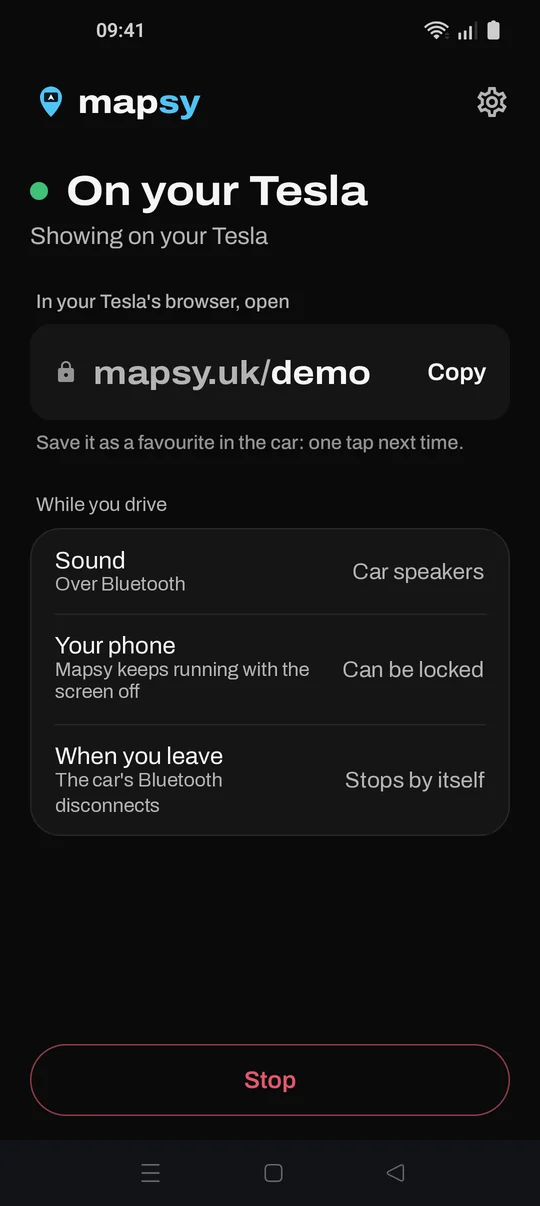
Get in and tap Start.
Or tap the "Your Tesla is nearby" notification when your phone connects to the car.
Works with
Works with
- Waze
- Google Maps
- Spotify
- YouTube Music
- Messages
| One app, every feature. | Yearly | Monthly |
|---|---|---|
| Price | $2.08 a month | $2.99 a month |
| Billed | $24.99 once a year | Every month |
| Free trial | 3 days | 3 days |
| You save | 30% on monthly | Nothing |
| Your cars | Every car you allow | Every car you allow |
| Apps | Everything in Android Auto | Everything in Android Auto |
| Cancel | Anytime, in Google Play | Anytime, in Google Play |
| Start free trial | Start free trial |
Billed through Google Play. Prices in US dollars; Google Play shows your local currency.
Questions.
What do I need?
Can I try it first?
Do I need a dongle or extra hardware?
Which apps work?
Can I use the touchscreen?
Where does the sound come from?
How much mobile data does it use?
Why can't it go full screen?
What's the Android Auto developer setting?
Does it keep running after I park?
Who can see my phone's screen?
Does it work with iPhone?
Is it safe to use while driving?
Is Mapsy made by Tesla or Google?
How do I cancel?
Your next drive.
Install Mapsy, follow the two-minute setup, then open your link in the car. Already set up? Enter your code.
Open Mapsy
It's the end of your link in the app. Save the page as a favourite: one tap next time.
10 minutes free with no card, then a 3-day trial and from $2.08 a month. Cancel anytime in Google Play.